Insecure Logout Functionality in Truesec LAPSWebUI
-
 Laban Sköllermark
 - Published: 16 Mar 2026
- Type: Insufficient Session Expiration
- Severity: Medium
Laban Sköllermark Truesec LAPSWebUI before version 2.4
Non-working logout functionality in Truesec’s LAPSWebUI before version 2.4 allows an attacker with access to a workstation to escalate their privileges via disclosure of local admin password.
CWE-613: Insufficient Session Expiration
The vendor Truesec has not calculated any CVSS score. Reversec assessed the vulnerability to have a CVSS score of 6.0 (and therefore severity rating Medium) using the vector CVSS:4.0/AV:L/AC:L/AT:P/PR:L/UI:P/VC:H/VI:N/VA:N/SC:H/SI:H/SA:H.
See the blog post for some background.
While the application included functionality to expire a user’s session on demand, as seen below, it did not successfully terminate the user’s active session.
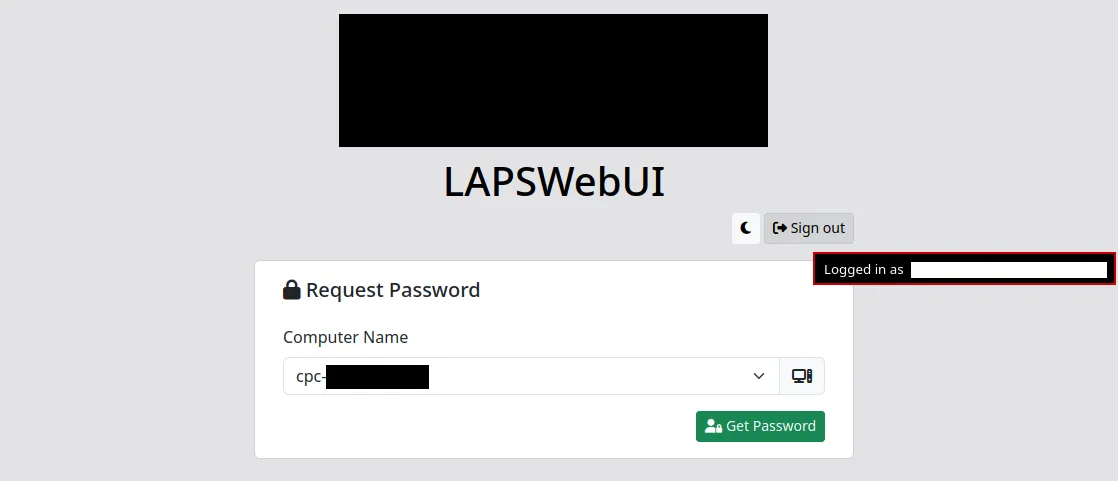
This extended the window of opportunity during which stolen session tokens would provide an attacker with access to a user’s account.
A user’s session identifier typically exists in two locations: in the user’s client-side browser cookie and in a server-side database table. The client-side information identifies the user in all requests to the server, while the server-side information is used by the application server to map active sessions to specific user accounts.
When a user attempted to log out, the client-side session identifier in the .AspNetCore.Cookies cookie was not cleared. Instead, the user was redirected to Microsoft Entra ID’s logout functionality at https://login.microsoftonline.com/common/oauth2/v2.0/logout. After choosing the account to log out from, Microsoft did not redirect the user to any additional LAPSWebUI logout endpoint.
While Microsoft reminded the user to close all browser windows as seen in the following image, that has no effect if the user has configured their browser to Open tabs from the previous session. That functionality causes session cookies to be saved indefinitely, even if no LAPSWebUI browser tab is open.
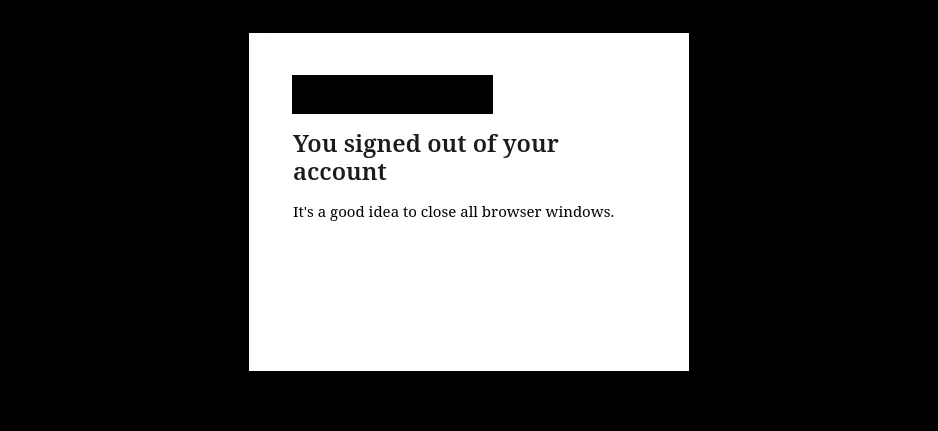
Navigating to the application’s URL after the Entra ID logout showed the Computer Name selection box and the ability to get computers’ local admin password while not being authenticated to Entra ID. This indicated that the application server did not remove the reference to the user’s session server-side.
The inability for users to manually terminate their sessions extended the window of opportunity during which an attacker with a stolen session token would gain unauthorised access to the account. Even if a user knew one of their sessions was compromised, they would not be able to act.
The LAPSWebUI vendor Truesec should implement clearing of the client-side session cookie and invalidation of the session server-side before redirecting the user to Entra ID’s logout endpoint. From Microsoft identity platform’s documentation on sending a sign-out request for OIDC applications:
To sign out a user, perform both of the following operations:
- Redirect the user’s user-agent to the Microsoft identity platform’s logout URI.
- Clear your app’s cookies or end the user’s session in your application. If you fail to perform either of these operations, the user may remain authenticated and not be prompted to sign-in the next time they use your app.
When there is a working logout functionality, make LAPSWebUI set it as a front channel logout URL in the App Registration created in the customer’s tenant during installation. This will enable single sign-out so that the LAPSWebUI session can be terminated when the users logs out of another application.
Truesec claim to have fixed the vulnerability in LAPSWebUI version 2.4 which started shipping 2026-JAN-12. Reversec found the vulnerability during a client assessment and do no longer have access to a LAPSWebUI system to confirm.
Install the fixed version 2.4. If not possible, configure LAPSWebUI to require Entra ID sign-in every time a user wants to display a password, by enabling the setting Force Reauth on Password request. This can be done in the server’s appsettings.json file:
{
  "AzureAd": {
    "ForceReAuth": true,
    [...]
| Date | Action |
|---|---|
| 23 Dec 2025 | Issue reported to Truesec |
| 5 Jan 2026 | Truesec acknowledge the problem |
| 12 Jan 2026 | Truesec release the fixed version 2.4 and start customer communication |
| 20 Jan 2026 | Reversec's client confirms they received version 2.4, vulnerability information and mitigation advise from Truesec the 12th of January |
| 2 Feb 2026 | CVE-2025-15553 is reserved by NCSC-FI |
| 16 Mar 2026 | Publication of this advisory |