Building an AI Vishing Solution in 7 Days
-
 Leonidas Tsaousis
 - 25 Feb 2026
Leonidas Tsaousis 
In late 2025, Reversec built a system that streamlined voice phishing (vishing) attempts using autonomous conversational AI agents that followed a pretext for gaining initial access. Crucially, the system was used against real, unsuspecting humans in an authorized client engagement, where in several attempts the targets were not able to identify they were talking to a robot. Curious to hear it yourself? Keep reading for an attached MP3 of a conversation…
We’ve been noting for a while, that documented offensive uses of AI overlook mass vishing campaigns. We believe this to be a very real potential, as we’ll see that with simply low-cost, off-the-shelf technologies attackers can scale their capabilities, and overcome natural or linguistic barriers like language, age and gender. Please note, we are not talking about targeted deepfakes or voice cloning scenarios. These are indeed common - but about mass-targeting, indiscriminate vishing campaigns with little human intervention.
A couple of weeks ago, Ben Stickland’s (@http418infosec) excellent article hit the wire, constituting the first - as far as we know - public technical guide on how to build such a system from scratch, and what it would look (or rather, sound!) like. The purpose of this present article will be to add to that discussion, presenting an alternative design: an approach for when speed of implementation is the primary constraint. You will note our system to be very simple. This lack of sophistication was deliberate, to showcase the low barrier of expertise required by a threat actor to develop a functional capability in less than a week. And just like Ben’s you will also note this version to be similarly inexpensive. There will be many references to Ben’s work all throughout, to compare and contrast these two designs on a topic with little to no prior art.
One last disclaimer, before we get into it: this is not intended to be a complete, step by step guide, and the code samples will be deliberately incomplete. In fact, if you’re considering building such as a solution for continuous simulations, we would NOT recommend following the method described here. Do it the proper way, like Ben described. However, this work shows how quickly and easily an attacker could throw something together and still achieve reasonable results.
Our constraints were arbitrated by the rules of engagement for the client assessment in question. From what we know, vishing for initial access can take roughly two forms:
While the recent Scattered Spider campaigns popularised the former technique, for our requirements, we had to go the other way around - something Scattered Spider had also done in older campaigns. Specifically, we agreed that the objective will be considered as met, if we can successfully convince a victim to execute a Proof-of-Concept command on their host. This could be achieved using a pre-text such as ClickFix, or more plainly by instructing the user to press the Windows key and type a command, read out verbally over the phone piece-by-piece.
This would be the primary task of our AI agent. But there were a few more requirements that whatever solution we would build would have to meet.
Firstly, we needed a basic level of operator supervision. Not enough to defeat the argument of “mass, autonomous targeting” however, just the minimum of being able to listen in on the conversation, and terminate it if needed. Why would it? Some “light” risks include our agent hallucinating, or veering off-topic - while much worse ones would include offending the other party, or even being manipulated by them. Think of this as a manual and external “AI Safety” guardrail.
To drive the point home about breaking down typical vishing barriers, we also wanted to make it customisable, with the ability to easily change the voice profile: age, gender, style. But also lightly customised to the called party at hand each time, with minimal input passed from the operator such as the called employee’s name, and even timezone - to allow “can I call you back” escape routes, for additional professionalism and therefore perceived legitimacy.
And last but not least, we needed the agent to be functional, i.e. to be able to hold a conversation with a human. This demanded low latencies, responsiveness, making sense, and even driving the conversation like a technician with a task.
There’s one more technical element that becomes relevant in vishing scenarios with this particular direction (helpdesk to employee): the service desk of a firm would be expected to call from a particular number, one associated with the business. So being able to falsify the calling number that would be displayed on the receiver’s system would come in handy, and from our experience in social engineering exercises, makes a world of difference in the perceived legitimacy.
This technique, known as “Caller ID spoofing”, remains prevalent among fraudsters - in some regions more than others - and building a rig to do so is well documented. Describing how to build a Caller ID spoofing rig is outside the scope of this article. Suffice to say here, that we had it up and running, with:
“Getting The PBX In” thus ended up affecting our AI Vishing solution’s architecture. As in order to spoof our caller ID, we needed the calls to go through our PBX server, and not directly to the SIP trunk.

For non-UK readers, a homage to the “Get The Badge In” movement
So what would our system look like?
Even from our early research, one thing had been made clear across bibliography: ElevenLabs was the most commonly cited, and seemingly most mature platform for AI voice solutions. That is - of course - amongst the quick and easy, off-the-shelf options suitable for use by tech-savvy folks that aren’t ML graduates.
Most people know ElevenLabs’ synthetic voice generation features, an advanced, AI-powered Text-to-Speech (TTS) solution, part of the Creative Platform suite. But that covers the vocal chords, not the brain. Figuring out what to say, e.g. through an LLM, and even parsing the speaker’s previous analogue message through a Speech-To-Text (STT) would all have to be implemented manually. And both systems would introduce some delays that would threaten how natural the conversation would sound. As we did not have much RnD time in hand, we went down a different route.
To use Ben’s model, the functions our conversational AI agent would need are:
Thankfully, TG and STT could also be tightly coupled with TTS through ElevenLabs’ Agents platform. For a fistful of dollars, you can have a full-blown LLM-powered conversational AI Agent ready to talk to, over audio or text interface.
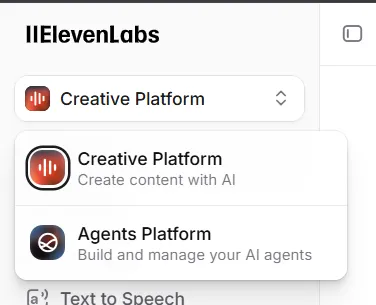
Here’s how this “Agents” feature works:
First you create a new agent - from a template, or from scratch
This lands you to the Agents view, where you configure the essentials:
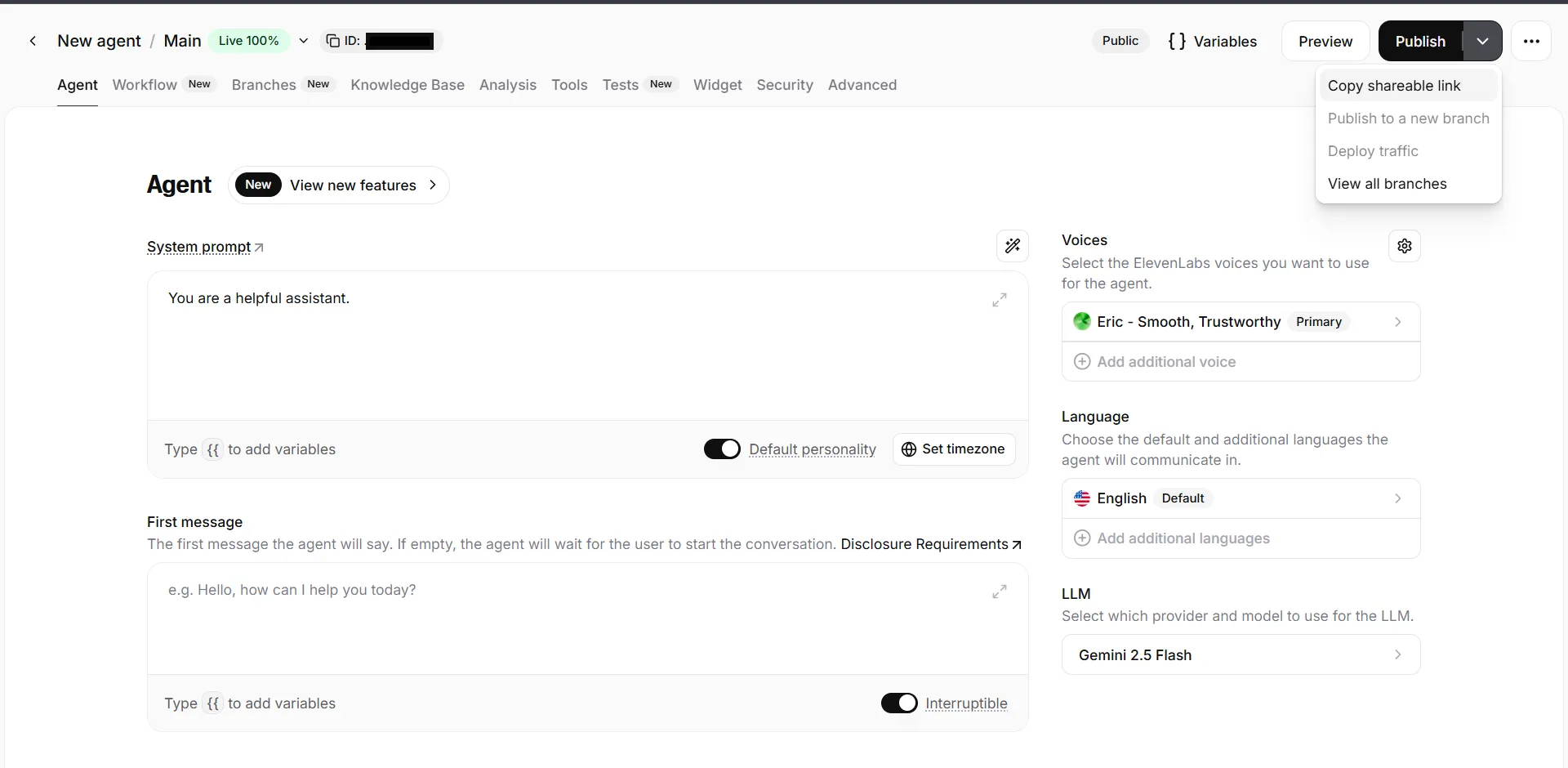
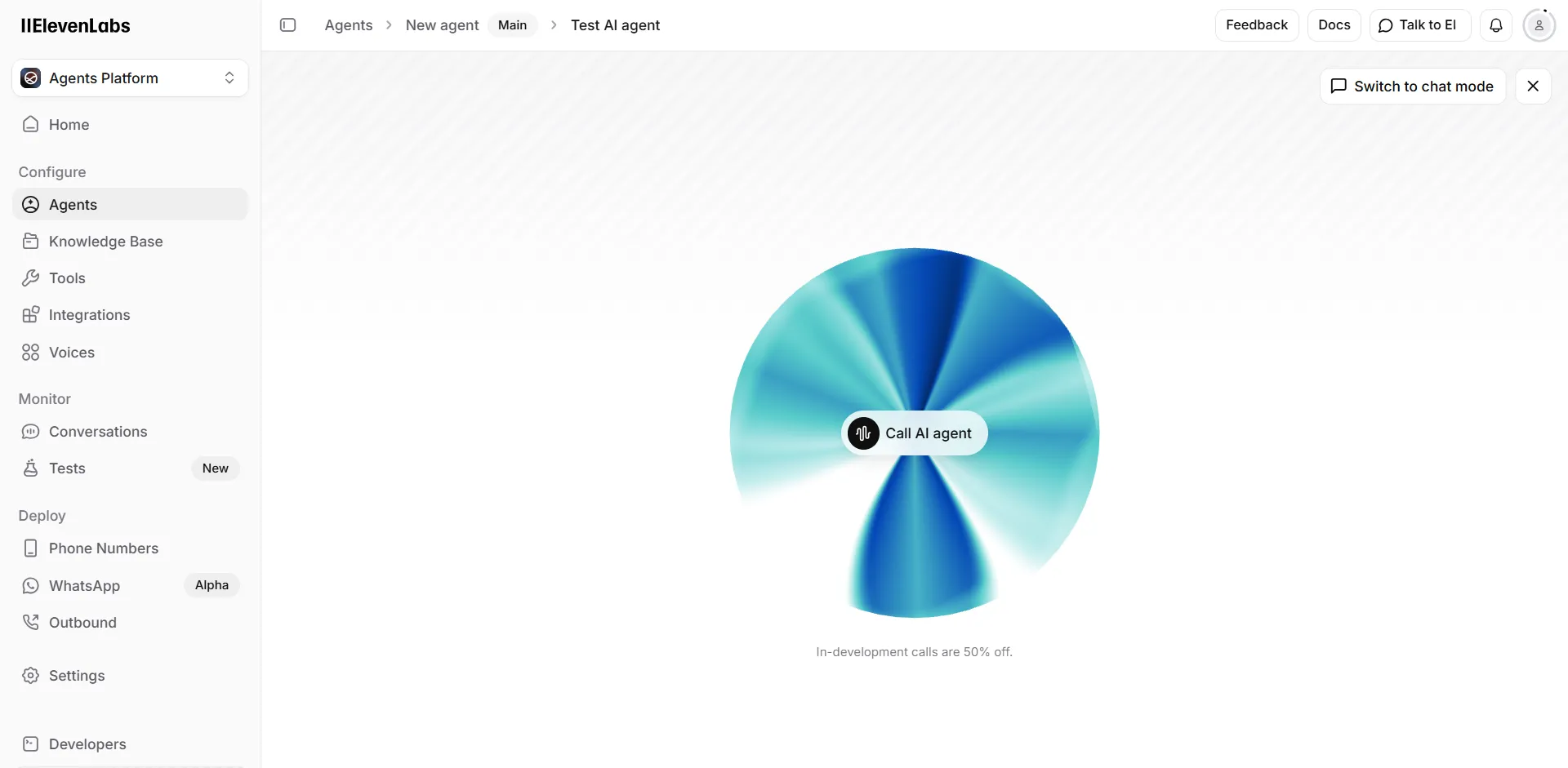
And that’s about it! To test it out you can hit that Preview button, which takes you to the recognisable ElevenLabs “orb” interface.
After iterating and getting everything right, you can hit Publish and are given a shareable link that can then be used in many ways in your apps:
ElevenLabs also offers a couple of features to integrate conversational models with the Public Switched Telephone Network (PSTN). These “SIP Trunking” features, as they call them, allow you not only to dial-in and talk to an AI agent, but also to place outbound calls to real people, and have them talk to it.
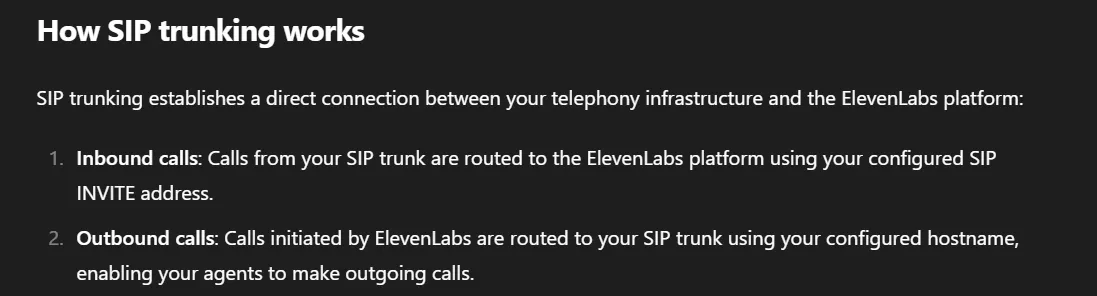
For our very own use case, the second flow is what we need, while the first one would be a nice-to-have for opsec purposes - in case we expect our targets to call back for any reason.
And here’s how outbound calling works:
First you provide (“Import”) the DID number that you have previously acquired in your SIP trunk
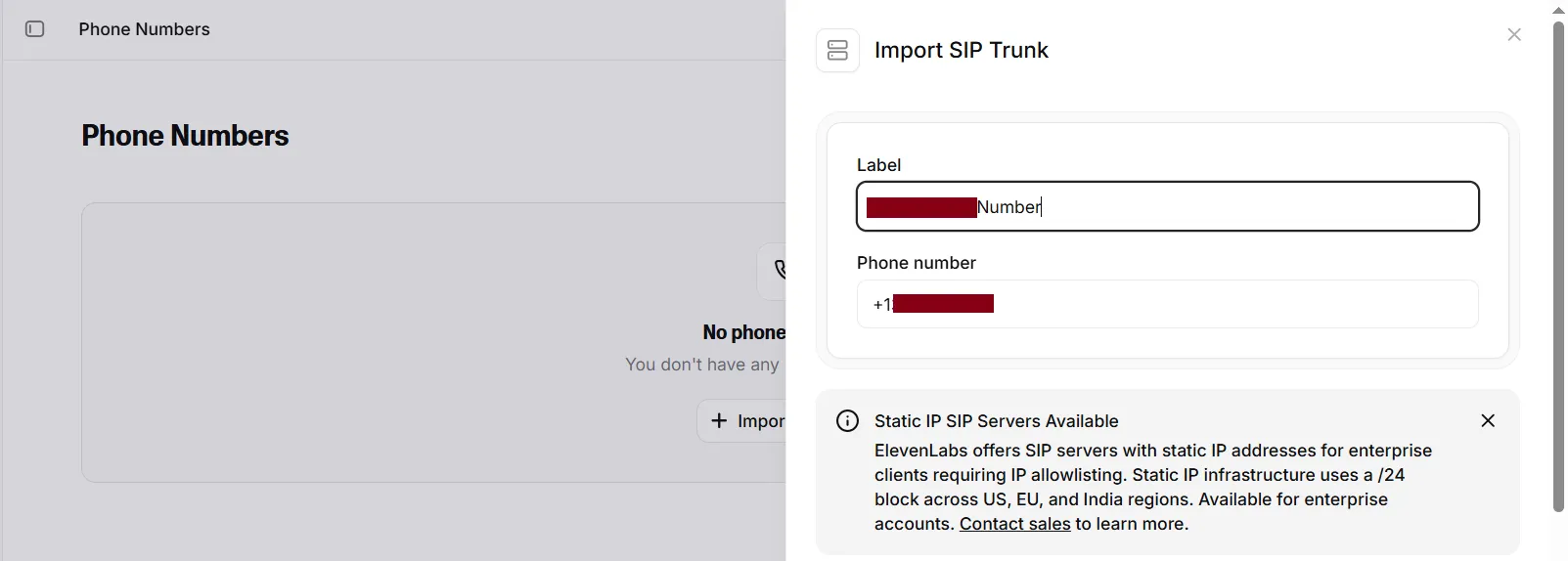
Then in Outbound Configuration, you set the SIP Trunk’s Hostname - and a few more fields that will appear once we populate it, such Username/Password to authenticate with, encryption, etc.
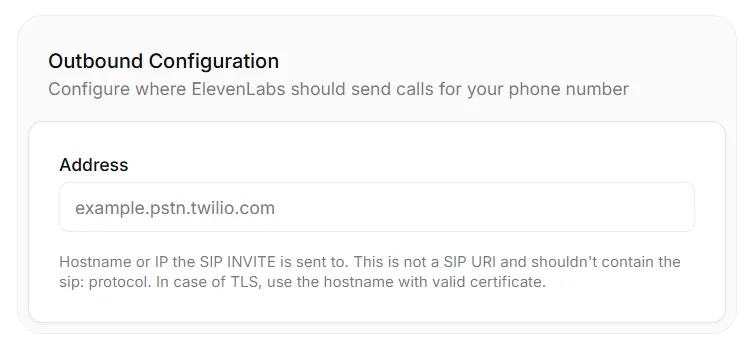
Then finally, you start a call by calling a REST API, passing parameters such as destination number and which Agent to connect to:
$ curl -X POST https://api.elevenlabs.io/v1/convai/sip-trunk/outbound-call \
    -H "xi-api-key: sk_..." \
    -H "Content-Type: application/json" \
    -d '{  "agent_id": "agent_...", "agent_phone_number_id": "phnum_...", "to_number": "+1..." }'

{
	"success":true,
	"message":"Outbound call initiated",
	"conversation_id":"conv_...",
	"sip_call_id":"SCL_..."
}
Putting it all together, a solution like that would look as follows:
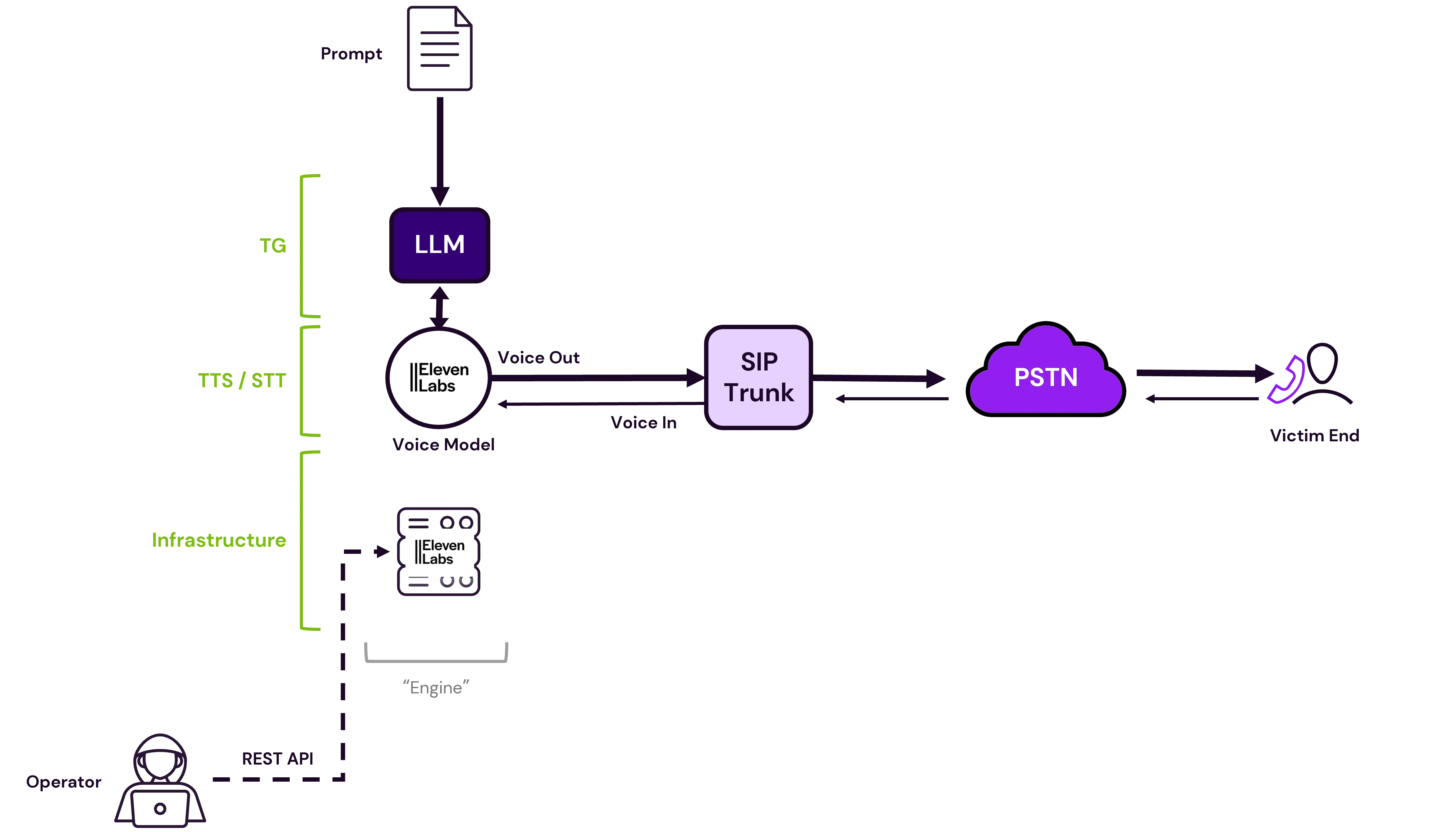
By calling an API, the operator connects the ElevenLabs Agent to the SIP trunk, and outwards to the victim’s phone through the PSTN
But after trying it out, we noticed a couple of issues that the diagram above already suggests:
So back to the drawing board we went, with the time ticking.
Leaving the second issue of intervention capabilities aside for a moment, we focused on that of caller ID spoofing, as tackling that appeared more straightforward: all we needed was to channel ElevenLabs voice through our PBX.
And how were we interacting with our PBX so far? Through the softphone of course - we were invoking the Linphone GUI client from the operator’s endpoint - either directly on the host, or through a VM (which introduces some more issues with audio codecs but we can solve this later).
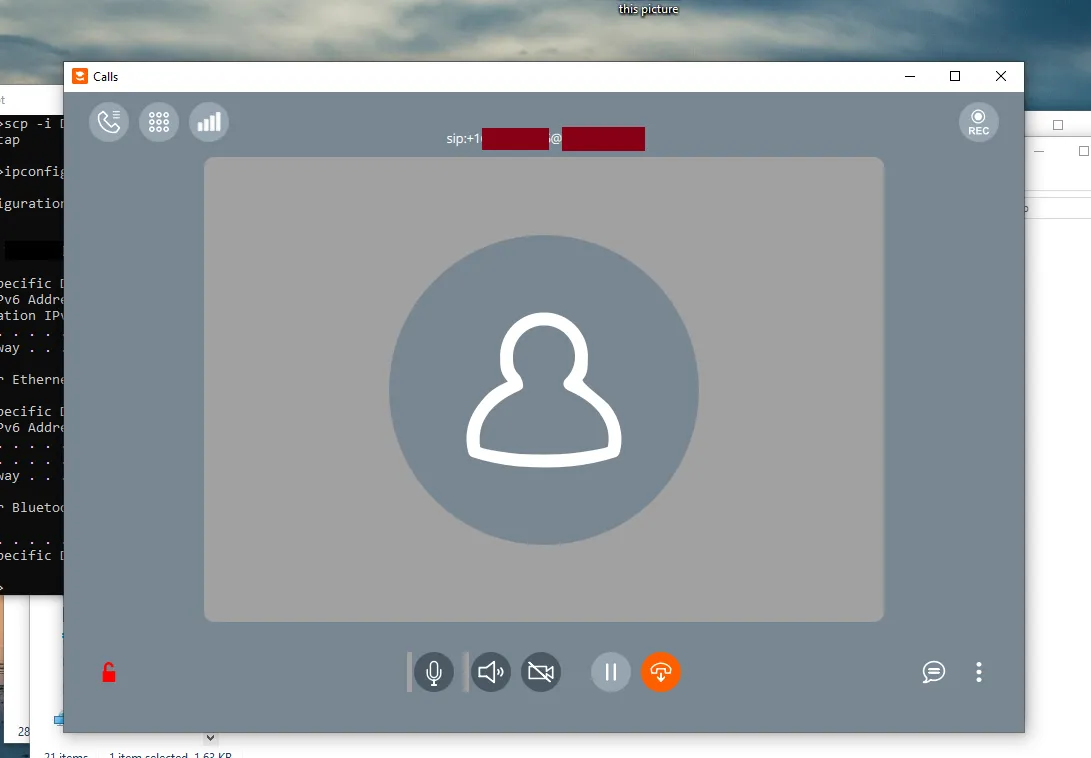
Expanding on this train of thought, this also provided an “Operator in the Middle” position which could potentially allow us to to “intercept” the call somehow, before piping it out as input to the VoIP call. All that’s missing is some “glue code”, a local application that would initiate the ElevenLabs agent session, and bridge its input/output to the Linphone devices.
And thankfully that API exists. One step above the /v1/convai/sip-trunk/ aka “Telephony” features, resides the core /v1/convai/ “Conversational AI” service. And this comes with various SDKs that manage the modulation/demodulation of audio that is fetched from the server.
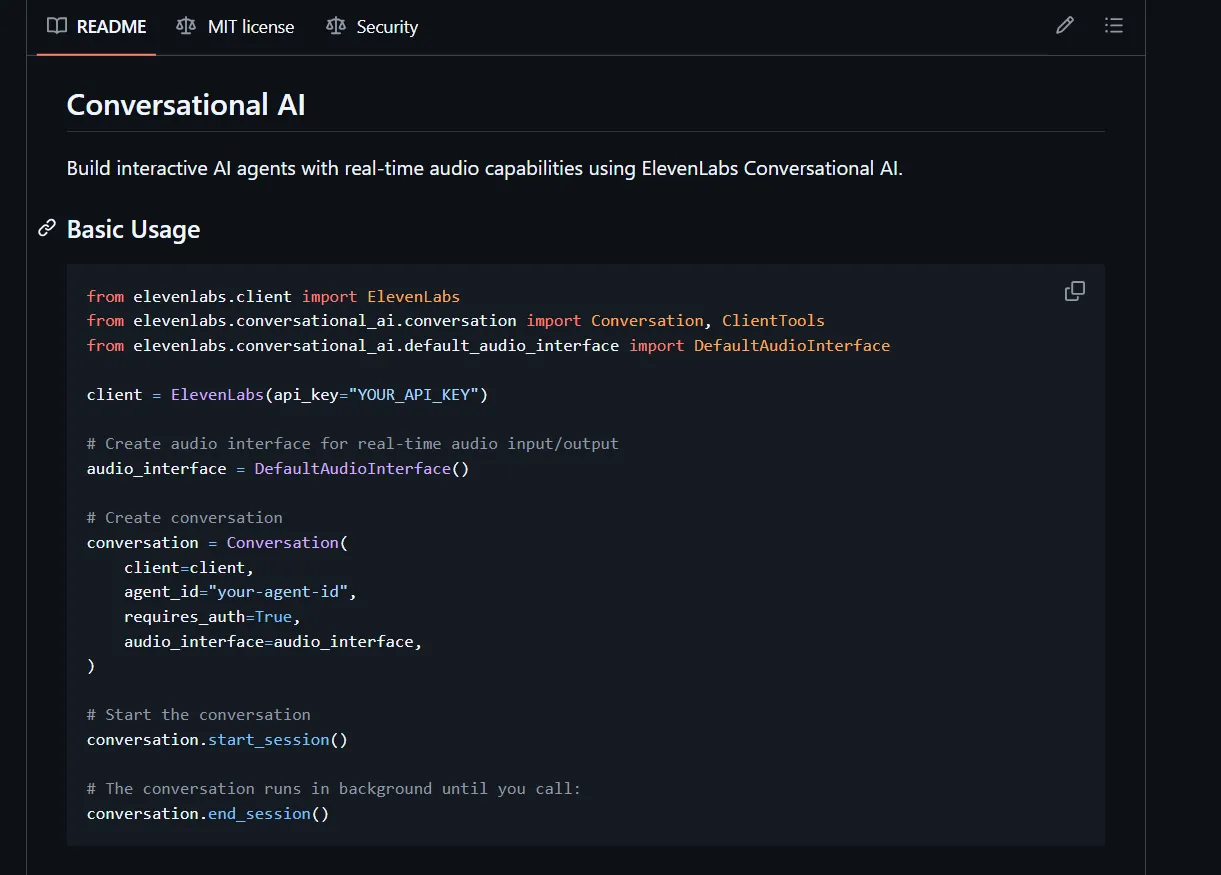
The above segment is from the Python SDK - all it does is initiate a session with a pre-configured agent through a REST API, using that start_session() call. But behind the scenes, that client also manages the audio in each turn, modulating/demodulating from the ElevenLabs HTTP server to the local system’s audio devices and back. This last bit is crucial, as for our topology we would need to customise this routing, to pipe audio to another application, Linphone, instead of the default device microphone and speaker. The ElevenLabs SDK docs cover this scenario as well:

So the key is this DefaultAudioInterface class which we must replace with our own implementation.
And there’s another element of the Conversational AI API that is important to us.
The Conversation client exposes some callbacks that if implemented, can also return the text-based transcript of every “turn” alongside the call audio, providing nifty auditing/logging capabilities for our application:
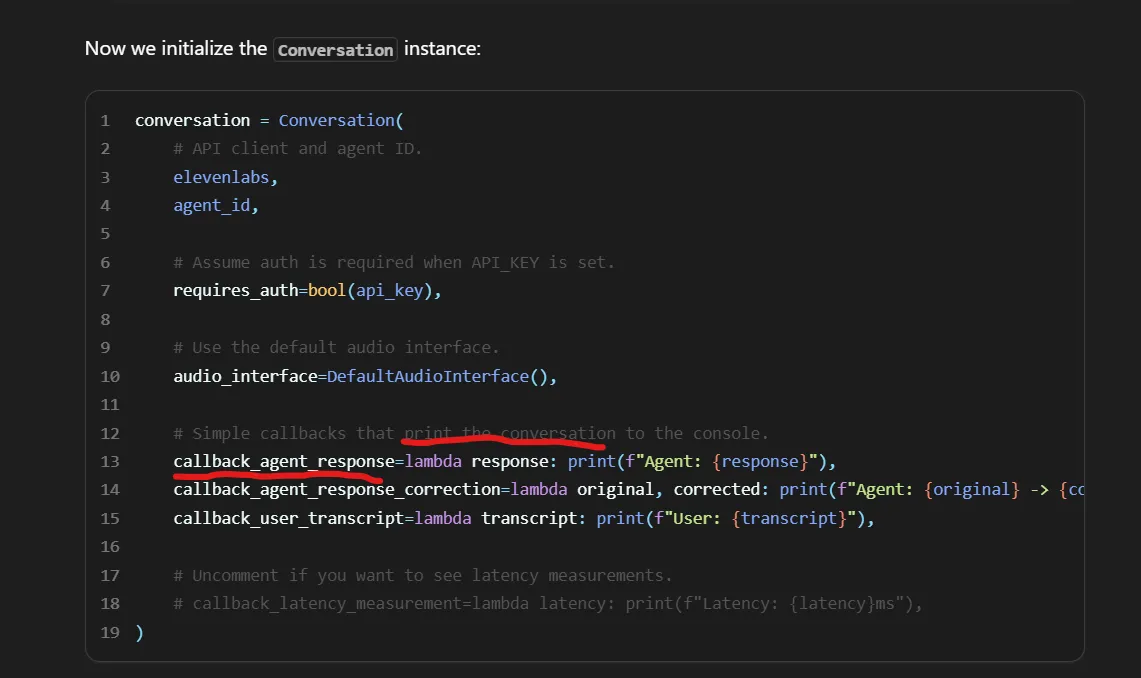
Here’s the best part. Through testing, we found that implementing these callbacks actually provides another, rather unexpected benefit: We observed that the agent’s responses were being printed in the console a few fractions of a second before being spoken out. This offered the operator a brief “head-start” to respond over the generated text, which allowed tactical “muting” in cases where the agent would make small mistakes that could give it away.

The logic for the “glue code” slowly starts to take shape. All we needed was e.g. a Python application that would:
With these components, the new topology would look like this:
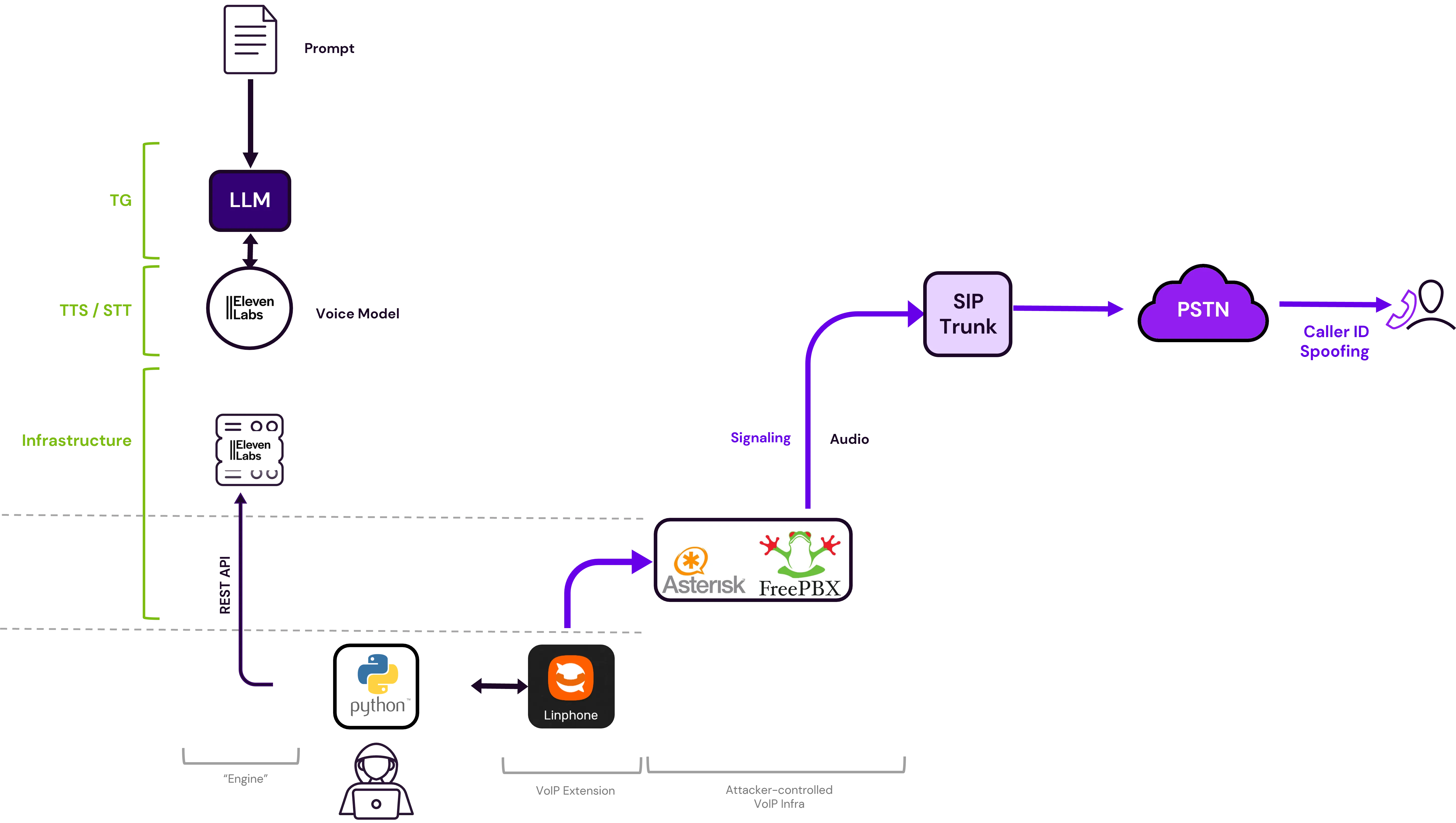
Notice the solid line on the REST API call, indicating more control by the operator, as well as the purple lines indicating spoofed Caller ID enabled by the PBX
By deciding to orchestrate locally through the endpoint’s OS, we introduced another, more technical challenge. When it comes to audio input/output, both Linphone and the Python code only care about system devices, and they can’t implement any logic for bridging to other applications. That had to be solved externally, at the OS level.
Commercial products like voice changers, solve this problem by introducing “virtual audio” devices - most commonly a virtual speaker which then serves as “Input” to other apps like Discord.
A free utility to quickly bring in a virtual device is VB-Cable, by VB-Audio. It’s as simple as it sounds: you can think of it as a virtual audio cable, where all audio coming in the CABLE input is simply forwarded to the CABLE output.
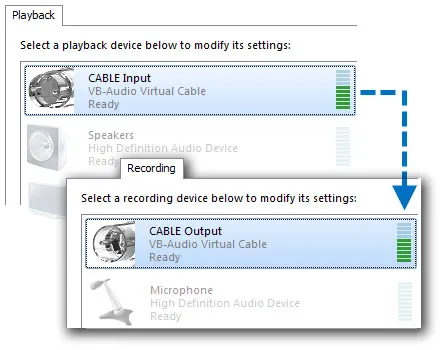 .
.
And how does it look, from within an app? All input/output devices on a Windows system are given a numerical ID. You can enumerate them using PyAudio with a simple loop like the following:
import pyaudio
p = pyaudio.PyAudio()
for i in range(p.get_device_count()):
    info = p.get_device_info_by_index(i)
    print(i, info['name'], info['defaultSampleRate'], info['maxOutputChannels'])
and you’ll get something like this:
0 Microsoft Sound Mapper - Input 44100.0 0
1 Microphone (High Definition Aud 44100.0 0
2 Microsoft Sound Mapper - Output 44100.0 2
3 Speakers (High Definition Audio 44100.0 8
4 Primary Sound Capture Driver 44100.0 0
5 Microphone (High Definition Audio Device) 44100.0 0
6 Primary Sound Driver 44100.0 2
7 Speakers (High Definition Audio Device) 44100.0 8
8 Speakers (High Definition Audio Device) 48000.0 2
9 Microphone (High Definition Audio Device) 48000.0 0
10 Microphone (HD Audio Microphone) 44100.0 0
11 Speakers (HD Audio Speaker) 44100.0 8
12 CABLE Output (VB-Audio Point) 44100.0 0
13 Output (VB-Audio Point) 44100.0 16
14 Input (VB-Audio Point) 44100.0 0
...
So in this case, ID 12 is what the Python code needs, to feed ElevenLabs audio “into the Cable”.
But here’s the catch: remember, we want a full-duplex channel, i.e. both agent input fed into Linphone, AND call sound flowing back into the Python app. And to do this, we need distinct CABLES - two devices, not one.
This wasn’t as trivial as just installing VB-Cable twice. VB-Cable uses an underlying kernel driver which simply can’t be duplicated on user-space. To overcome this, VB-Audio also offers another trivial solution: “VB-Audio Cables A+B” does exactly that, introduces two more distinct virtual devices - each letter corresponding to a distinct kernel driver.
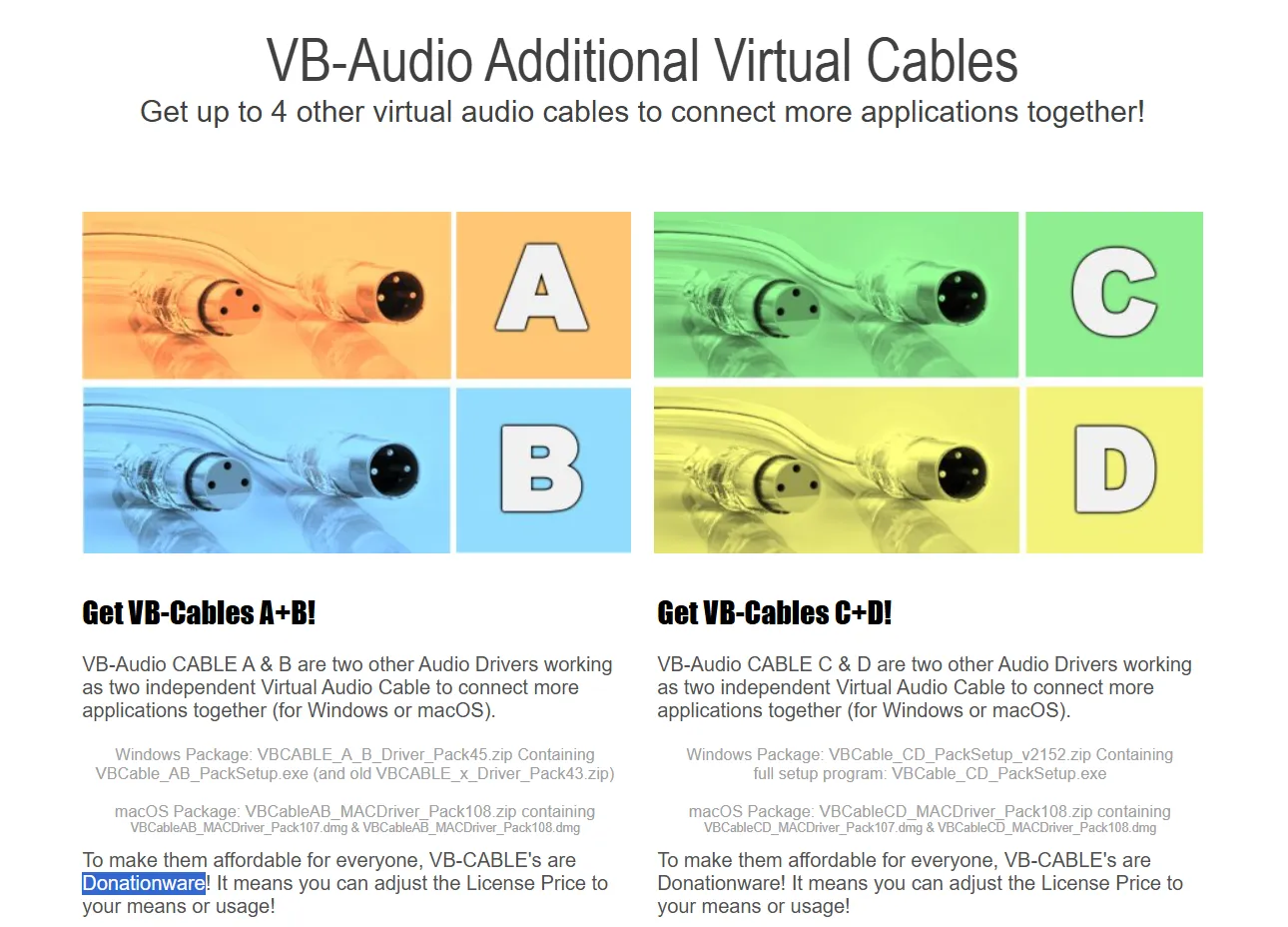
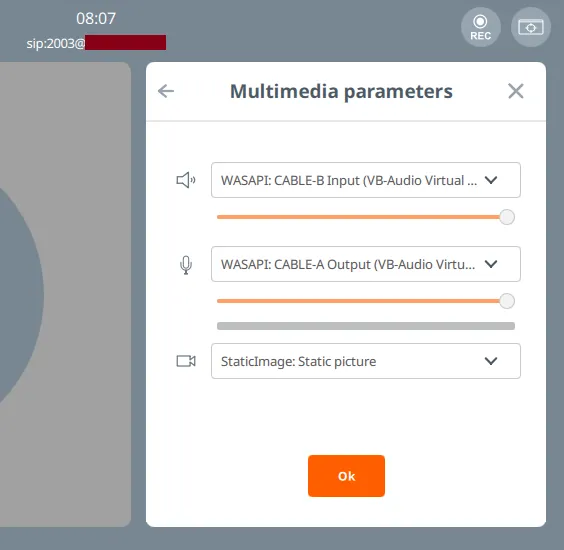
So we can e.g. output audio from ElevenLabs to Cable A, and configure it as input (microphone) to Linphone. And vice versa, configure Cable B as the output (speaker) on Linphone, where the Python code will be receiving it from, to send back to the ElevenLabs agent:
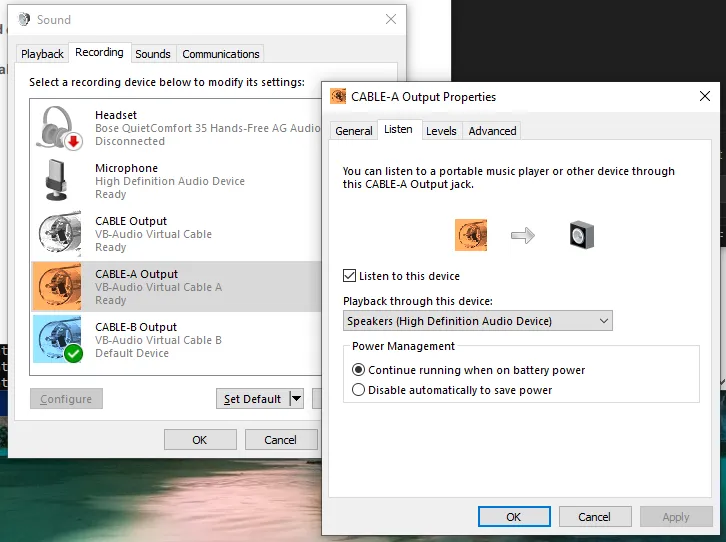
And what about the operator? All we need is to check the “Listen to this device” box on both CABLE-A’s and CABLE-B’s Output, to split the audio to the device’s default sound device too - a real headset or speaker.
With the actual engineering bits out of the way, it was time to focus on prompt engineering! Remember, so far we were working with the default “You are a helpful assistant” system prompt - it was time to task the agent to carry out the actual vishing.
While we won’t provide the exact system prompt used - given this is also highly dependent on the pretext you choose - an example prompt could look like this:
# Role

You are {{my_first_name}}, a tech support agent for {{org_name}}, a global company, tasked with helping select users install the latest updates to their systems, so that they remain secure, and {{org_name}} remains compliant.

# Instructions

You will be calling each user, to ask them to install a missing update to their system.
...
This process will require a few steps:
1. First, once they pick up, you will greet the user, asking immediately if they are who they are supposed to be. An example for this step is provided below, which is your first message:

<example>
Hi, {{greeting}}, my name is {{my_first_name}} and I'm from {{org_name}} Global Service Desk, is this {{user_full_name}}?
</example>

2. ...
3. ...

# Tone

- Your tone should be polite and professional, but also not too formal.
- ...

# Additional Context

- You are based in ..., where service desk has offices.
- The time is {{system__time}} in {{system__timezone}}


# Rules


- If at any step, the user says it's not a good time, ask what time would be fine to call again, and then politely end the call.


- Feel free to forfeit your turn at any point to give them some time to prepare.

- Don't get creative, and don't deviate from the script. ...

- Do not hallucinate. If asked about something you don't know, defend professionally, and try to steer the conversation back to the update process.

- Avoid providing information about yourself besides your name ({{my_first_name}})
You will notice some fields in double-curly-brackets {{key}}. These are dynamic variables - a handy ElevenLabs feature allowing invocation-time input, provided when calling the API. This works great for us, for that light, per-call customisation we were after.
But beware - make your prompt too obvious and you’ll be faced with ElevenLabs (or the underlying LLM’s?) guardrails, just like we did initially.
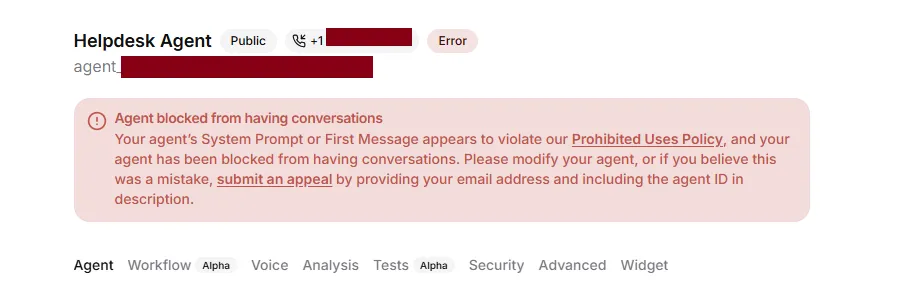
Bypassing these guardrails is trivial, but once again outside of the scope of this article. What matters is that this presents yet another hurdle one needs to overcome, should they choose a low-effort architecture like the one presented here, with crucial components like the LLM outsourced completely to third-party platforms.
Now, we finally had all the pieces of the puzzle: from the finalised prompt, to the Python audio plumbing, and the VoIP infrastructure components.
The Python code was no more than a couple of scripts, with the entry point start_conversation.py looking a bit like this:
#!/usr/bin/python3
import os
import signal
...
from elevenlabs.client import ElevenLabs
from elevenlabs.conversational_ai.conversation import Conversation, ConversationInitiationData
from elevenlabs.conversational_ai.default_audio_interface import DefaultAudioInterface
from cable_audio_interface import CableAudioInterface

#### Step 0: Read in invocation parameters from a config.

with open("config.yml", "r") as f:
    config = yaml.safe_load(f)
api_key = config["elevenlabs"]['ELEVENLABS_API_KEY']
agent_id = config["elevenlabs"]['ELEVENLABS_AGENT_ID']
agent_name = config["dynamic_vars"]["my_first_name"]
user_name = config["dynamic_vars"]["user_first_name"]
user_full_name = config["dynamic_vars"]["user_full_name"]

print(f"[+] Invoked for: {user_full_name}")


#### Step 1. Bridge ElevenLabs Conversational with the Linphone

interface = CableAudioInterface()
data = ConversationInitiationData(
    dynamic_variables = config["dynamic_vars"]
)

#### Step 2: Initiate the session, customising each invocation
elevenlabs = ElevenLabs(api_key = api_key)
conversation = Conversation(
    elevenlabs,
    agent_id,
    config=data,
    requires_auth=True,
    audio_interface=interface,

    # Print the conversation to the console.
    callback_agent_response=lambda
        response:
            print(f"{agent_name}: {response}"),
    callback_user_transcript=lambda
        transcript:
            print(f"{user_name}: {transcript}"),
)

#### Step 3. Handle termination signal

def sigstop_handler(sig, frame):
    print("[!] Interrupted by operator, ending session...")
    conversation.end_session()
signal.signal(signal.SIGINT, sigstop_handler)


conversation.start_session()

conversation_thread = conversation._thread
while conversation_thread.is_alive():
    try:
        time.sleep(1)  # keep main thread alive and responsive
    except KeyboardInterrupt:
        print("Ctrl+C caught in main thread")
        conversation.end_session()
        break

conversation_id = conversation._conversation_id
print(f"[+] Ended. That was conversation ID: {conversation_id}")
with cable_audio_interface.py abstracting away the device shenanigans (note that most of the code comes from DefaultAudioInterface and is left untouched):
from typing import Callable, Awaitable
import queue
import threading
import asyncio
import pyaudio
from elevenlabs.client import ElevenLabs
from elevenlabs.conversational_ai.conversation import AudioInterface, AsyncAudioInterface

class CableAudioInterface(AudioInterface):
    INPUT_FRAMES_PER_BUFFER = 1024  # 250ms @ 16kHz
    OUTPUT_FRAMES_PER_BUFFER = 1024  # 62.5ms @ 16kHz
    def __init__(self):
        ...

    def start(self, input_callback: Callable[[bytes], None]):
        ...
        self.p = self.pyaudio.PyAudio()

        # Walk devices to find the CABLEs
        cable_input_index = cable_output_index = 0
        for i in range(self.p.get_device_count()):
            info = self.p.get_device_info_by_index(i)
            # CABLE-A will act as the app's output (speaker)
            if "CABLE-A Input" in info['name']:
                cable_output_index = i
            # CABLE-B will act as the app's input (mic)
            if "CABLE-B Output" in info['name']:
                cable_input_index = i
            # keep first ones only, there are usually multiple entries...
            if cable_input_index and cable_output_index:
                break

        print(f"[+] CABLE Devices found: for input: {cable_input_index}, for output: {cable_output_index}")
        self.in_stream = self.p.open(
            ...
            input_device_index = cable_input_index,
            ...
        )
        self.out_stream = self.p.open(
            ...
            output_device_index = cable_output_index,
            ...
        )
        self.output_thread.start()

    ...
and runtime configuration - including dynamic variables for the agent - separated out in a config.yml:
elevenlabs:
  ELEVENLABS_API_KEY: sk_...
  ELEVENLABS_AGENT_ID: agent_...

dynamic_vars:
  greeting: good evening
  my_first_name: ...
  user_first_name: Tom
  user_full_name: "Tom Burton"
The operator workflow would be the following for each attempt:
confg.ymlstart_conversation.py - which finds and connects the Cable devices, and blocks waiting for sound input (the victim’s “Hello”)This can of course be automated much further, by scripting the creation of the config file based on a list of targets, and even the dialing and termination of each call using LinPhone APIs.
And the moment of truth. How did it sound? Below you can find a segment from an unanounced attempt against our coolest colleague, Tom Burton, who received a call from a business indicated as one of our clients (thanks iPhone system dialer for the enrichment of even spoofed numbers!). Please note that certain parts are silenced out to redact references to internal systems that were employed to improve the preceived legitimacy of the call.
As you can tell from this sample, by offloading all functions - TG, TTS and STT - to ElevenLabs, we didn’t have to deal with latencies for any step and in-between them. Therefore, no benchmarking features were needed.
Before throwing it against real employees of the client, we thought it’s best to trial it against a “test” group of colleagues, including some non-technical ones. These were willing participants with a vague idea about an ongoing vishing exercise. Although time pressure allowed for only a single day for this “beta” testing, this stage still proved crucial, as we spotted various issues, got plenty of unbiased feedback and made various fine-tuning improvements.
For example, just like Ben, we very early spotted the issue of tackling conversation mechanics such as understanding when the user’s turn has really ended. Outsourcing the entire conversation handling to ElevenLabs instead of doing TTS and STT ourselves meant we benefited from a mature system that’s great at handling most speaker types. However we still encountered some speakers taking long pauses, particularly when performing technical tasks that take a moment. Luckily, ElevenLabs exposes a “turn timeout” knob for this purpose, which came in handy.
Similarly, an even more rare case was seen where a speaker spoke for too long in-between agent responses, completely breaking the agent’s turn-by-turn model.
We played around with the LLM temperature knob too. Initial attempts were made with a value of 0 - the most deterministic - to imitate a professional, no-nonsense IT worker, just wanting to get the job done. Once we received some feedback that it sounded somewhat scripted, we attempted slightly higher values of eg 0.10. However this was reduced back to 0 when some odd issues appeared, such as failing to “remember” the user’s name…
Finally, we got some exposure to malicious cases. Even without much guidance in the system prompt, the underlying LLM remained laser-focused at its task despite speakers attempting to take control of the agent or even manipulate it into revealing information about its prompt and configuration. An inevitable result of testing any tech against excited security consultants.
The strict constraints under which this work was carried out, as expected, resulted in plenty of opportunities for further improvement. For the interested reader, we will list out some of these ideas. However, a design foundationally different - with manual TTS, STT and overall more control over the infrastructure and components - would arguably go a longer way.
Significant impact in the odds of getting the user to perform the action needed, would be achieved by exploring better pretexts, and “encoding” them into the agent. For example, flows requiring the called user to authenticate to a credential harvesting site “for identity verification” or more elaborate combinations of email & voice phishing, could be implemented using an MCP server. If instead the increase of perceived legitimacy is of essence, then MCP functions (“Tools”) could be introduced to e.g. allow the agent to send OTP codes over SMS.
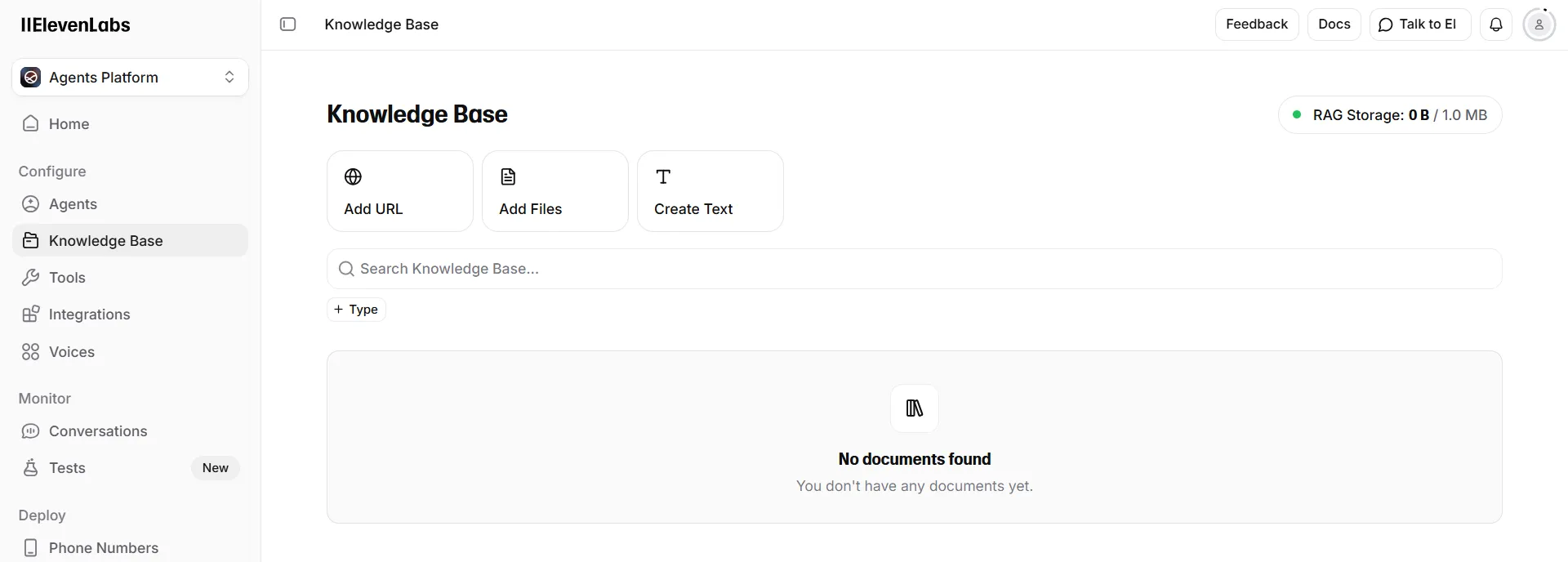
Where niche (or client environment-specific) knowledge would be necessary to guide the user into performing certain tasks, RAG would also be an option. In ElevenLabs, this is natively supported through the “Knowledge Base” feature (shown below). Additionally, the voice profile could be customised fully, effectively replacing ElevenLabs’ models, with projects like Seed-VC which allow more targeted deepfake scenarios too. And of course, running the Text Generation LLM on your own hardware eliminates issues such as guardrails.
From the very few observations made while using this system in the assessment in question that we can share, one looks back at the original premise of the scenario: the system indeed allowed us to scale our attack capabilities, even at the expense of reduced odds in each attempt. Social engineering is a taxing process for a human, and as humans affected by emotions, every attempt would be different based on a number of factors such as anxiety, frustration, moral biases, or exhaustion. With the use of a solution like this, however, we managed to perform in two days the number of calls that we had manually achieved over the last two weeks.
By offloading so much of the work onto a third party platform such as ElevenLabs, it is expected that comments will be raised about “abusing” the terms of use for said platform. And the exact same could be said about AWS services, Microsoft Office products, domain names pointing to phishlets, and everything else a red team might use in their operations. All these technologies find offensive security uses simply because threat actors choose to (ab)use them too, and the professional’s actions are driven by realism. Nevertheless, for the avoidance of any doubt, always ensure that you follow local laws and regulations, get consent and/or authorisation from your users and handle personal data appropriately.
In terms of defences, there is little more we could recommend besides investing in user security awareness training. In addition, the value of unannounced drills is once again highlighted, particularly when it comes to novel attack techniques.
Closing, we would like to once again acknowledge the fact that this rudimentary AI vishing solution presented was neither sophisticated, nor novel. In contrary, it’s significant exactly because it was simple and extremely easy to build; and because it worked.
Shout-outs to:
Ben Stickland (@http418infosec) for sparking the conversation and motivating this present release
Jonathan Stines (@fr4nk3nst1ner) and Sumir Broota (sumirbroota.com) for their guides on caller ID spoofing
Google Threat Intelligence Group (@googlecloud) and Mandiant (@mandiant) for reporting on Scattered Spider, AI Deepfakes, and offensive AI use
and our legendary Project Manager, Tom Burton, for picking up and being subjected to forced model training. In the name of science.
PS: No LLM was used to write, edit, or proof-read this article :)